Cycle Speedometer (Cycle Computer): Types and How to Install One
A cycle speedometer (cycle computer) shows speed, distance, ride time and average speed. Wired and wireless models use a magnet on a spoke and a sensor on the fork; GPS computers and phone apps need no sensor and also record routes. To install one, fit the sensor and magnet, mount the display, and enter your wheel circumference so readings are accurate.
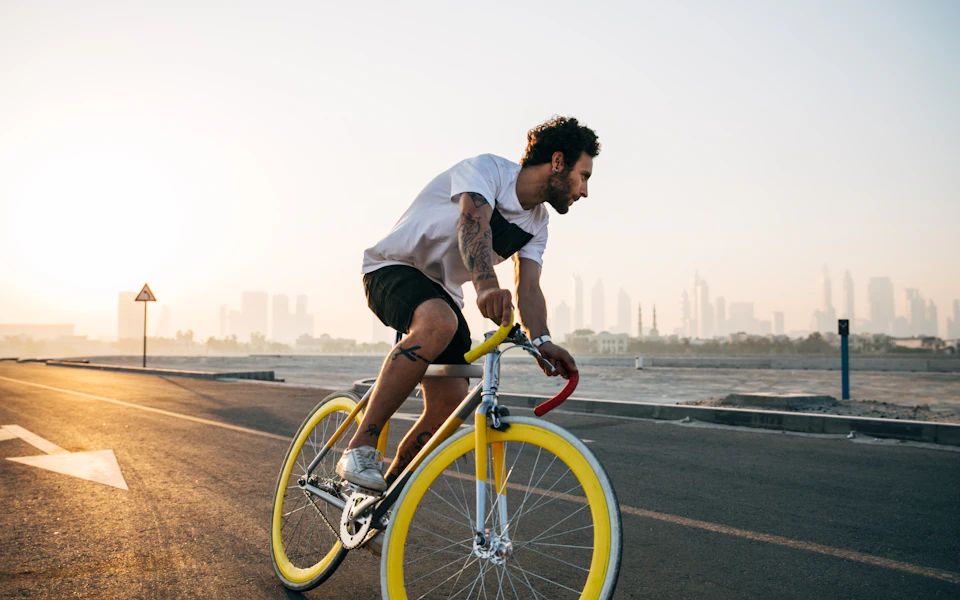
- Speed, distance, time
- Wired/wireless: spoke magnet
- GPS: no sensor, maps routes
- Enter wheel size to calibrate
Seeing your speed and distance makes riding more motivating — and helps you track fitness progress.
Types
Wired cycle computers are the cheapest: a magnet on a spoke, a sensor on the fork and a thin wire up to the display. They're accurate once calibrated and the batteries last a long time.
Wireless computers work the same way without the wire — tidier, slightly more expensive, with batteries in both sensor and display.
GPS cycle computers need no sensors. They record speed, distance, route, climbing and often connect to heart-rate and power sensors and training apps.
Phone apps on a handlebar mount do much the same as GPS computers. They're free but drain the phone battery and can be hard to read in bright sun.
What they measure
Current, average and maximum speed; trip and total distance (odometer); ride time; clock; and on advanced models cadence, heart rate, power and navigation.
Installing a wired or wireless speedometer
- Fit the display bracket on the handlebar or stem.
- Attach the sensor to the front fork leg with cable ties.
- Clip the magnet to a spoke so it passes the sensor within a few millimetres.
- For wired models, wrap the wire neatly along the brake cable.
- Enter your wheel circumference — the most important step for accurate readings.
- Spin the wheel and check the display responds.
Calibrating
Mark the tyre and the floor, roll the cycle forward one full turn and measure the distance in millimetres. Enter that figure. A wrong wheel size is the usual reason readings are off.
Which to choose
For casual riders, a simple wireless computer is plenty. For training, a GPS computer with heart-rate support. If you already ride with your phone, start with a good phone mount and app — see cycle gadgets. Curious how fast you really are? See speed cycles.
Using your speedometer to ride better
Speed alone can be misleading — wind, hills and road surface change it all the time. Average speed over the same route, ridden every week, is a better sign of improving fitness. Many riders also find that watching cadence (pedal turns per minute) helps: a steady 70–90 rpm in an easy-enough gear is kinder on the knees than grinding slowly in a hard gear.
Battery and care
Coin-cell batteries in simple computers last many months; GPS units need charging like a phone. Remove the display when parking to prevent theft, and keep sensors clean of mud so readings stay reliable.
Frequently asked questions
How do I set wheel size on a cycle speedometer?
Enter the wheel circumference in millimetres. Many manuals list it by tyre size (for example about 2,050–2,100 mm for 26 × 2.0), or measure one full wheel turn on the ground.
Is a phone app as good as a cycle computer?
For tracking rides, yes. A dedicated computer has longer battery life, is easier to read in sunlight and keeps working without a signal (non-GPS models).
Do cycle speedometers work on e-cycles?
Yes, though many e-cycles already show speed on their own display.
Tell us the rider's height, age and budget — we'll recommend a bike, whether or not we stock it.
Related guides
Buying guidesCycle Gadgets Worth Buying: Smart Lights, Computers, Trackers and MoreThe most useful cycle gadgets — smart lights, cycle computers, phone mounts, trackers, mini pumps and alarms — and what to look for when buying.Read guide →Types of cyclesSpeed Cycles: What Makes a Cycle Fast, Top Speeds and SpeedometersWhat makes a cycle fast, typical speeds for different riders and cycles, the fastest cycle types, how gears affect speed, and cycle speedometers.Read guide → Buying guidesBest Cycle for Fat Loss and Weight Loss: Type, Plan and TipsWhich cycle is best for weight loss — outdoor, exercise bike or elliptical — how often to ride, a simple 8-week plan, and the truth about belly fat.Read guide →
 Parts & accessoriesCycle Handlebar Guide: Types, Height, Width and GripsTypes of cycle handlebars (flat, riser, drop, upright, BMX), how to adjust handlebar height and angle, choosing grips, and fixing a loose or crooked handle.Read guide →